In a compact apartment, a speaker competes with a lamp, books, a coffee cup, and the only convenient power socket. That makes placement part of the buying decision. A speaker that looks modest in a product photograph may block the bedside light or sit so close to a wall that you spend every evening adjusting the bass.
Start with where the speaker will live and how you will press play. One well-placed speaker can be enough for cooking, podcasts, and background listening. A stereo pair makes more sense when you sit in a consistent position and can give both speakers proper space. The recommendations below use published manufacturer information and room-planning advice; they do not represent comparative listening tests.
Decide whether the speaker stays put
A permanent speaker and a portable one solve different problems. A fixed speaker can live ready for daily use without a charging routine. A portable speaker can move from the desk to the kitchen, but somebody has to keep track of its battery and bring it back. In a shared home, that distinction can matter more than another sound mode.
Imagine an ordinary weekday. If music begins when you enter the kitchen and continues while you tidy, a fixed Wi-Fi speaker is worth considering. If you frequently move between rooms or want one device for occasional outdoor listening, portability may deserve priority. Do not buy a battery merely because it seems like flexibility you might someday need.
| Your main use | Useful starting point | What to check |
|---|---|---|
| Kitchen or bedroom listening | One fixed wireless speaker | Outlet location and controls |
| Moving around the home | A portable speaker | Charging routine and carrying position |
| Focused listening from one chair | A matched stereo pair | Supported pairing and room layout |
| Computer audio or television | A suitable wired or TV system | Input support and synchronization |
Two practical reference products
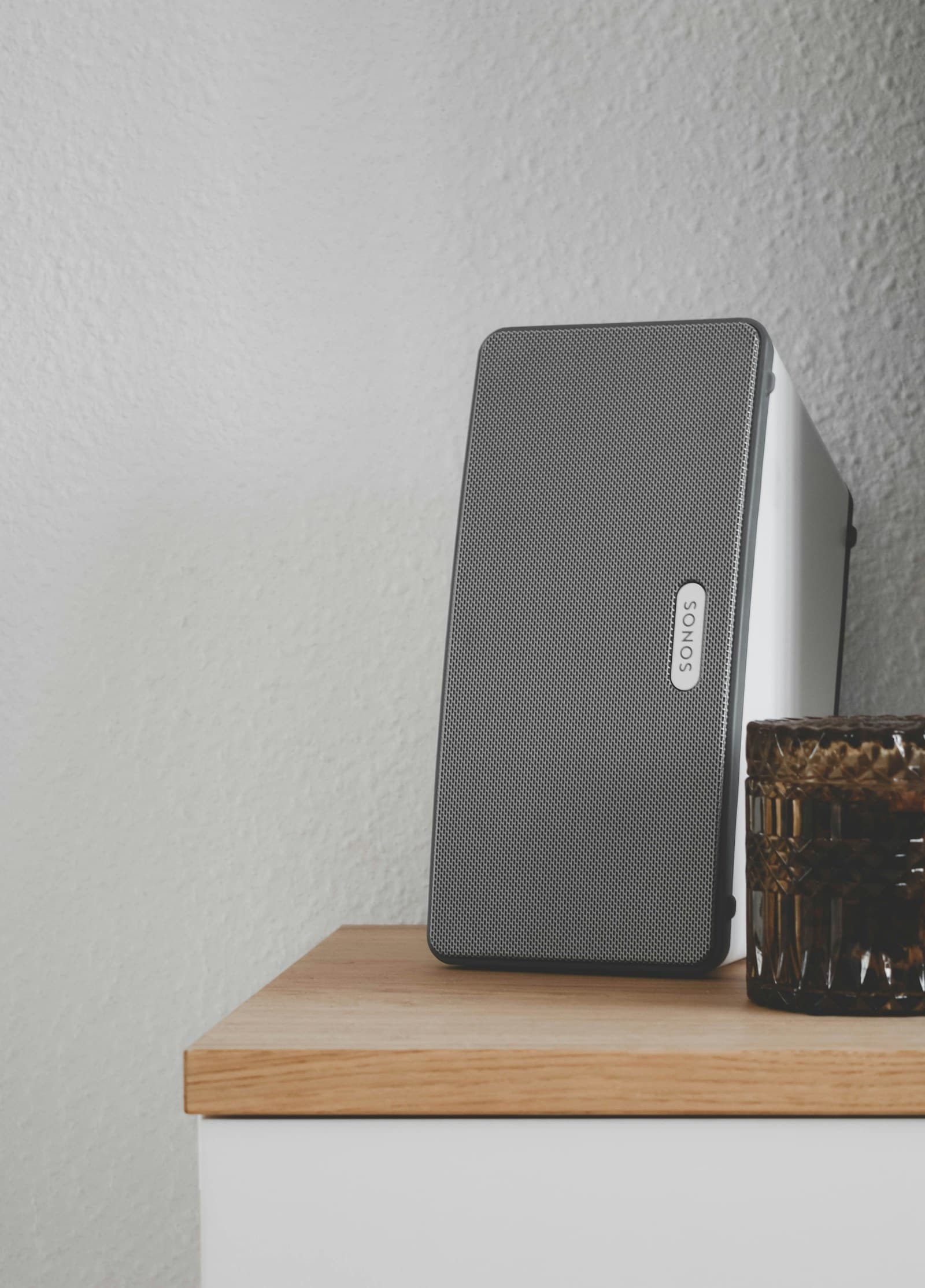
Sonos Era 100: investigate it for a permanent room. The official Era 100 page lists Wi-Fi, Bluetooth, and line-in support through a separately sold adapter. Sonos also explains that initial setup uses its app and Wi-Fi. That makes this a useful reference if you want a speaker integrated into a household listening system. It is less suitable if you want to avoid apps or assume every USB-C socket accepts ordinary analog audio without an adapter.
Sonos Roam 2: investigate it when movement is the point. Sonos describes Roam 2 as a portable speaker with Bluetooth and Wi-Fi. Its battery-powered role fits a person who actually carries music between places. Do not assume that portability gives it the same room-filling capability or stereo presentation as a larger fixed setup; those are different design priorities. Confirm charging accessories and the requirements for the listening mode you plan to use.
These two products illustrate a decision rather than exhaust the market. If you mainly need computer sound, investigate speakers with a direct input that suits your computer instead. A household streaming system can introduce unnecessary complexity for a desk that only needs dependable video-call and music playback.
Place before you upgrade
Give the speaker an unobstructed position on a stable surface. Avoid burying it behind books or placing objects against its grille. Listen from the place where you normally sit or stand, then try modest position changes before buying another device. A corner and an open shelf can produce different impressions even with the same volume setting.
If the speaker offers an equalizer or room adjustment, start with conservative changes. Reducing excess bass may be more useful in an apartment than adding a subwoofer. Features such as Sonos Trueplay have their own device and setup requirements, which should be checked on the current official page. Automatic tuning cannot create space around a speaker that is physically obstructed.
Buy controls the household can use
Think beyond the person paying. Can a partner stop the music without borrowing your phone? Can a visitor connect without changing the home network? Does your preferred service work with the speaker, and does using it require a subscription? A supported service logo is not a promise that every paid feature comes free with the hardware.
For Wi-Fi listening, confirm the network setup and app requirements. For Bluetooth, consider who will reconnect after another person uses the speaker. If your router struggles in the chosen room, improving coverage may make more sense than changing speakers. Our mesh Wi-Fi guide explains how to assess that problem.
Avoid the upgrades that do not fit
Skip extra speakers until you can name the problem they solve. A second matching speaker may help create a more deliberate stereo setup, but it also needs another outlet and suitable placement. A subwoofer can be difficult to justify if you listen quietly and share walls. For television, start with our apartment soundbar guide rather than assuming a music speaker’s line-in is designed for TV.
Clean according to the maker’s instructions, keep the speaker away from accidental spills unless its exact protection guidance permits the setting, and leave charging equipment dry. Humidity resistance and waterproofing describe different things. Neither phrase is permission to ignore product-specific limitations.
Frequently asked questions
Is one speaker enough?
For casual background listening, it can be. If you want a deliberate left-and-right presentation from a seated position, compare a supported matched pair and allow room for both.
Can I use a music speaker for television?
Only after checking the intended connection and delay behavior. Sonos explicitly says Era 100’s line-in connection is not intended for TV. A soundbar designed for the television’s output is the clearer starting point.
Do I need Wi-Fi and Bluetooth?
Not necessarily. Choose the connection you will use reliably. Wi-Fi suits household streaming; Bluetooth suits direct playback from a nearby device. Having both is useful only if both fit your routine.
Explore the options
Explore Era 100 at Sonos for a fixed room, or explore Roam 2 at Sonos for portable listening. Confirm current setup requirements, accessories, and purchase terms before choosing.